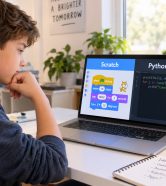

What Is Scratch and Why Is It a Great Way for Kids to Start Coding?
If your child loves games, stories, or animated characters, there is a way to help them move from asking:
“What game should I play today?”
to a much more exciting question:
“How can I create my own game?”
That is where Scratch for kids comes in.
Scratch is a visual programming language and learning environment that allows children to create games, interactive stories, animations, and other projects by connecting colorful coding blocks.
Instead of starting with text-based code such as:
if score == 10:
    print("You Win")
a child can express the same idea visually:
If the score reaches 10 → Display the winning message.
This removes many of the typing difficulties that beginners encounter and allows children to focus on what matters most:
How does a program think and work?
Scratch was developed by the Lifelong Kindergarten Group at the MIT Media Lab. It is designed primarily for ages 8–16, although people of other ages use it too. Children can create and share interactive stories, games, and animations using its visual programming environment.
You can explore the platform through the official Scratch website.
But there is one important point to understand:
The goal of learning Scratch is not to become good at moving colorful blocks. The goal is to learn real programming concepts in a way that is appropriate for children.
In this guide, you will discover:
- How children can start Scratch from zero.
- The most important parts of the interface.
- The first programming concepts they should learn.
- Beginner-friendly projects.
- A progressive learning roadmap.
- How to measure real progress.
- Common mistakes to avoid.
- When a child may be ready for more advanced coding.
What Do Kids Actually Learn from Scratch?
A parent may see a child drag a block that says:
Move 10 Steps
and assume it is just a game.
But behind that simple movement is a programming concept.
As children progress, they begin learning several important fundamentals.
Sequence
Instructions must be executed in a particular order.
For example:
- Start the game.
- Move the character.
- Play a sound.
- Display a message.
If the order changes, the result may change too.
Events
A program needs to know:
When should an instruction run?
Examples include:
- When the green flag is clicked.
- When a keyboard key is pressed.
- When a character is clicked.
- When a message is received.
Loops
Instead of repeating the same instruction ten times, children can tell the program:
Repeat this instruction 10 times.
Conditions
For example:
If the player touches the enemy → Lose one life.
Or:
If the score reaches 10 → Move to the next level.
Variables
Variables allow programs to store information such as:
- Score.
- Time.
- Lives.
- Speed.
- Level.
- Player name.
Broadcast Messages
One character can send a message to other elements in the project.
For example:
Start Level 2
Other characters can respond when they receive that message.
Debugging
The child expects one result, but something different happens.
Now they need to ask:
Why?
This is one of the most valuable skills children can practice while learning programming.
Is Scratch Right for Your Child?
Scratch is suitable for many children who are beginning to learn coding, especially when the goal is to understand programming logic through visual and interactive projects.
However, age alone should not determine the choice.
Scratch May Be a Great Fit If Your Child:
- Has never learned coding before.
- Enjoys games and interactive stories.
- Learns well through visual activities.
- Is still developing keyboard skills.
- Likes experimenting.
- Enjoys changing and improving things.
- Needs to see results quickly to stay motivated.
Your Child May Be Ready for a More Advanced Level If They:
- Have already completed several Scratch projects.
- Can build a project without following a tutorial step by step.
- Understand variables, loops, and conditions.
- Can find and fix some mistakes independently.
- Want more challenging projects.
- Are interested in writing text-based code.
The key principle is:
Scratch is not simply an age-based stage. It is a learning tool that should match the child’s current skills and needs.
The Main Parts of the Scratch Interface
Before building projects, children need to become familiar with the workspace.
They do not need to memorize every feature in one lesson, but they should understand the main areas.
Stage
The Stage is where the child sees the result of the project.
It displays:
- Characters.
- Backgrounds.
- Movement.
- Games.
- Messages.
- Results.
Think of the Stage as:
The world where the game or story takes place.
Sprite
A Sprite is an object that can be programmed.
It might be:
- A character.
- A ball.
- A car.
- An enemy.
- A button.
- A coin.
- A robot.
- Any other object in the project.
Each Sprite can have its own instructions.
Blocks
Blocks are the programming pieces children use to build their projects.
They are organized into different categories based on what they do.
Code Area
This is where children connect the blocks to create their programs.
It is where the logic of each Sprite comes together.
Backdrops
Backdrops allow children to change the scene or environment.
Examples include:
- A house.
- Outer space.
- A football field.
- Level One.
- Level Two.
The Most Important Scratch Block Categories
Children do not need to learn every block at once.
A better approach is to introduce each category when the project needs it.
Motion Blocks
Motion blocks control how a Sprite moves.
Examples include:
- Move.
- Turn.
- Go to.
- Glide.
- Change X.
- Change Y.
What Does the Child Learn?
Children begin exploring:
- Directions.
- Coordinates.
- Movement.
- The relationship between X and Y.
Looks Blocks
Looks blocks control the appearance of a Sprite.
Examples include:
- Say.
- Think.
- Change Costume.
- Show.
- Hide.
- Change Size.
A Simple Project Idea
A child can make a character:
Speak → Change costume → Disappear → Appear again.
Sound Blocks
Sound blocks add:
- Sound effects.
- Music.
- Audio interactions.
They can make a project feel more engaging and responsive.
Events Blocks
Events are one of the most important parts of Scratch.
Examples include:
When Green Flag Clicked
and:
When Space Key Pressed
Why Are Events Important?
They teach children to ask:
What event should start this part of the program?
Control Blocks
Control blocks introduce important programming concepts such as:
- Repeat.
- Forever.
- If.
- If / Else.
- Wait.
- Repeat Until.
This is where children begin working more deeply with programming logic.
Sensing Blocks
Sensing allows the project to respond to what is happening.
For example:
- Is the Sprite touching another Sprite?
- Is it touching a particular color?
- Where is the mouse pointer?
- Has a key been pressed?
Operators Blocks
Operators can be used for:
- Addition.
- Subtraction.
- Comparisons.
- Logic.
- Text.
- Random numbers.
Variables Blocks
Variables are an important milestone in a child’s coding journey.
For example, a child can create:
Score
The game begins with:
Score = 0
Whenever the player collects a star:
Score = Score + 1
The game can now remember and update information.
Your Child’s First Scratch Project: A Character That Moves and Talks
Do not begin with a huge game.
The goal of the first project is for the child to experience:
“I gave the computer instructions, and it followed them.”
The Project Idea
Make a character:
- Start when the green flag is clicked.
- Say hello.
- Move forward.
- Turn.
- Change costume.
- Play a sound.
Programming Concepts Introduced
- Events.
- Sequence.
- Motion.
- Looks.
- Sound.
Why Is This a Good First Project?
Because children can see a result quickly.
They can also personalize it.
Ask your child:
What would you like the character to say?
How many steps should it move?
Which sound would you choose?
From the first project, children should begin feeling that:
This is their creation.
Project Two: Create an Interactive Story with Scratch
After learning movement and events, children can move to a more creative project.
The Idea
Two characters have a conversation.
For example:
A child travels to space and meets a robot.
What Does the Child Learn?
- Dialogue.
- Timing.
- Backdrops.
- Costumes.
- Broadcast messages.
- Sequence.
Why Are Stories Valuable?
Because children begin thinking:
What happens first?
What happens next?
How does the second Sprite know when it is its turn?
The story becomes an exercise in sequencing and logic.
Project Three: Build a Collect-the-Stars Game
This is where programming can become especially exciting for young learners.
The Game Idea
The player controls a character using arrow keys.
Stars appear in different locations.
When the character touches a star:
- The star disappears.
- The score increases.
When the player collects enough stars:
You Win!
What Will the Child Learn?
- Keyboard Events.
- Movement.
- Variables.
- Conditions.
- Sensing.
- Scoring.
- Game Logic.
How Can the Project Be Improved?
Once the first version works, ask:
How could we make the game more challenging?
The child may suggest:
- Adding a timer.
- Adding an enemy.
- Adding lives.
- Increasing the speed.
- Creating another level.
This is where the child begins moving from:
Following instructions
to:
Designing a game.
Project Four: Create a Maze Game
A maze game is excellent for practicing problem-solving.
The Idea
The character starts at one point and must reach the finish without touching the walls.
What Does the Child Need?
- Movement.
- Keyboard Events.
- Color Sensing.
- Conditions.
- Reset Position.
An Example of the Logic
If touching the wall → Return to the starting point.
What Can Be Added Later?
- A timer.
- Multiple levels.
- Coins.
- Enemies.
- Checkpoints.
Project Five: Build a Quiz Game
This project introduces a different type of interaction.
The Idea
The program asks:
What is the capital of Saudi Arabia?
Then it checks the answer.
What Does the Child Learn?
- Ask and Answer.
- Variables.
- Conditions.
- Scoring.
- Text Comparison.
How Can the Project Be Expanded?
It could become:
- A math quiz.
- A science quiz.
- A football quiz.
- An English vocabulary quiz.
Children begin to understand that coding is not only about games.
A Step-by-Step Scratch Learning Roadmap for Kids
Instead of jumping between dozens of tutorials, children benefit from a progressive learning path.
Stage One: Discover the Scratch Environment
Children learn:
- Stage.
- Sprite.
- Blocks.
- Green Flag.
- Motion.
- Looks.
- Sound.
Suggested Project
A character that moves and talks.
Stage Two: Events and Sequence
Children learn:
- Events.
- Sequence.
- Keyboard Input.
- Timing.
Suggested Project
A short interactive story.
Stage Three: Loops
Children learn:
- Repeat.
- Forever.
Suggested Project
A repeated movement or animation.
Stage Four: Conditions
Children learn:
- If.
- If / Else.
Suggested Project
A game that responds to the player.
Stage Five: Variables
Children learn:
- Score.
- Lives.
- Time.
Suggested Project
A points-collection game.
Stage Six: Sensing
Children learn:
- Touching.
- Color.
- Mouse.
- Keyboard.
Suggested Project
A maze game.
Stage Seven: Broadcast Messages
Children learn how to coordinate multiple Sprites and scenes.
Suggested Project
A story or game with multiple scenes.
Stage Eight: Custom Blocks
Children begin learning how to group repeated instructions into a reusable unit.
This is a useful foundation for understanding functions later in text-based programming languages.
The First Eight Scratch Projects for a Beginner
A progressive path could look like this:
| Project | Main Concepts |
|---|---|
| Moving Character | Events + Motion |
| Short Story | Sequence + Looks + Sound |
| Animation | Costumes + Loops |
| Collect the Stars | Variables + Conditions |
| Maze Game | Sensing + Logic |
| Quiz | Input + Scoring |
| Simple Pong Game | Movement + Collision |
| Child’s Own Project | Combining Multiple Skills |
The eighth project is especially important.
The goal is to move from:
“What does the instructor want me to build?”
to:
“This is my idea. How can I make it work?”
How Can Kids Learn Scratch Instead of Just Memorizing Steps?
This is one of the most important questions in the entire learning process.
Two children may complete exactly the same game.
One understands programming.
The other has only followed:
Watch the video → Place a block → Watch the video → Place another block.
How can we tell the difference?
Do Not Give Every Step Immediately
Instead of saying:
Put this block here.
Ask:
What do we want to happen next?
Then:
Which type of block might help us do that?
Ask Children to Predict the Result Before Pressing Play
Ask:
What do you think will happen?
Then run the project.
If something different happens:
Why do you think that happened?
This is a powerful learning habit.
Change the Problem Slightly
If the child learned:
Collect five stars.
Ask them to change it to:
Win after collecting ten stars.
Do they know what needs to change?
Ask Them to Explain the Project
One of the best ways to check understanding is:
Can you explain how your game works?
If the child can explain:
- What starts the game.
- How the character moves.
- When the score increases.
- How the player wins.
that is more meaningful than simply having a working project.
How to Use Scratch Errors to Teach Problem-Solving
Do not fix every mistake immediately.
Errors can become valuable learning opportunities.
Questions That Help Children Debug
What did you expect to happen?
What actually happened?
Which part controls this movement?
When did the problem begin?
What happens if we disable this block?
Can we test just one part of the project?
This is the beginning of Debugging.
The goal is for the child to gradually start asking:
“Where is the problem?”
instead of:
“The program doesn’t work. Fix it for me.”
Ten Scratch Project Ideas for Kids
Once children understand the basics, they can explore a wider range of projects.
1. Football Game
Control a player and try to score goals.
2. Racing Game
Add:
- A timer.
- Obstacles.
- A finish line.
3. Simplified Flappy Bird-Style Game
Explore:
- Gravity.
- Collision.
- Scoring.
4. Platform Game
Create a character that jumps between platforms.
5. Virtual Pet
Build a pet with:
- Food.
- Happiness.
- Energy.
6. Educational Quiz
Connect coding with a school subject.
7. Simple Calculator
Practice operators and variables.
8. Choose-Your-Own-Ending Story
The player chooses:
Go left or right?
The story changes based on the decision.
9. Memory Game
Practice logic and working with information.
10. A Project Based on Your Child’s Own Idea
This remains the most important project of all.
How Can You Make a Scratch Project More Challenging?
You do not need to start a new game every time.
Take an existing project and improve it.
For example:
Level One
Collect the stars.
Level Two
Add a timer.
Level Three
Add an enemy.
Level Four
Add lives.
Level Five
Add a second level.
Level Six
Add a high score.
This teaches an important lesson:
Programs are not always created all at once. They are developed and improved over time.
How Do You Know Your Child Is Really Progressing in Scratch?
Do not measure progress only by the number of videos watched or lessons completed.
Look for these signs.
They Can Start a Project Without Detailed Instructions
They do not need to watch the instructor perform every step first.
They Know When to Use a Loop
Not just where to find the block.
They Create Variables When Needed
For example, they might say:
We need a Score variable.
They Can Build a Condition
Such as:
If the player touches the enemy, lose one life.
They Understand How Sprites Work Together
They can use events or broadcast messages to coordinate a project.
They Can Find Some Errors
Even if they still need help with more difficult problems.
They Add Their Own Ideas
This is a particularly strong sign of progress.
They Reuse Concepts from Previous Projects
For example, using a scoring system in a new game.
They Can Explain Their Project
Not just run it.
Quick Test: Does Your Child Understand Scratch or Just Copy Tutorials?
After a project, ask your child:
- What starts the game?
- What would happen if we removed this loop?
- Where is the score stored?
- Why did you use an if condition here?
- How does the game know the player touched the star?
- What would happen if we changed this number?
- How could you add a second level?
- Can you add an idea that was not included in the lesson?
If your child can think through most of these questions, that is a good sign that they are developing real understanding.
Common Mistakes When Teaching Scratch to Kids
Turning Scratch into Block Memorization
Children do not need to memorize:
Motion is blue and Events are yellow.
They need to think:
What do I want to happen, and which tool can help me?
Giving the Answer Too Quickly
An instructor may save two minutes, but the child may lose an opportunity to solve a problem.
Making Every Project an Exact Copy
Children should have room to change:
- Characters.
- Rules.
- Appearance.
- Sounds.
- Difficulty.
Focusing Only on the Number of Projects
Ten copied projects may be less valuable than three projects the child understands and has improved independently.
Moving to Python Too Early Just Because It Seems More Advanced
Do not make the language name the goal.
First, make sure the child understands:
- Variables.
- Conditions.
- Loops.
- Logic.
- Debugging.
Keeping a Child in Scratch After They Are Ready to Progress
The opposite mistake is also possible.
If the child:
- Builds independently.
- Understands the concepts.
- Wants to write code.
- Is looking for larger challenges.
it may be time to increase the difficulty or explore another learning path.
Can Kids Learn Scratch for Free?
Yes.
Scratch itself is free to use, and there are many free educational resources available online.
This makes it an excellent tool for exploring coding.
However, there is a difference between:
Using Scratch
and:
Learning programming systematically through Scratch.
The Problem with Unstructured Learning
A child may spend weeks:
- Moving characters.
- Changing backgrounds.
- Watching tutorials.
without making clear progress in:
- Variables.
- Logic.
- Conditions.
- Debugging.
- Project Design.
The important question is not:
How many videos did my child watch?
It is:
What can my child now do independently?
Self-Learning or a Scratch Course for Kids?
Both can work well.
Self-Learning May Suit a Child Who:
- Is highly curious.
- Enjoys exploring independently.
- Does not give up easily.
- Can stay motivated.
- Has a parent who can help when needed.
Structured Learning May Be Helpful If:
- The child needs regular guidance.
- They jump between resources without finishing.
- They copy projects without understanding.
- They need challenges suited to their level.
- They benefit from feedback.
- Parents are unsure what should come next.
The most important factor is not simply whether there is an instructor.
It is:
Does the instructor help the child think, or do they provide every answer?
How to Choose a Good Scratch Course for Your Child
Before enrolling, ask these questions.
Is the Child’s Level Assessed?
Your child may be a complete beginner.
Or they may already have Scratch experience and need a more advanced level.
Does the Child Build Real Projects?
Ask:
What project will my child create?
Do Projects Become More Challenging Over Time?
The eighth lesson should not simply repeat the first lesson at the same level.
Does the Child Understand the Concepts?
Not just the names or locations of blocks.
Can They Add Their Own Ideas?
Every project should not always be an identical copy of the instructor’s work.
Do They Learn Debugging?
Mistakes are a normal part of programming.
Is There a Clear Path After Scratch?
Scratch is not the end of the journey.
Depending on the child’s interests, the next step may include:
- Python.
- Game Development.
- Robotics.
- Artificial Intelligence.
- App Development.
- Web Development.
- Electronics.
How Long Does It Take a Child to Learn Scratch?
There is no single correct duration.
The phrase:
“Learn Scratch”
can mean different things.
A child may become familiar with the interface in one session.
But understanding:
- Variables.
- Conditions.
- Loops.
- Broadcast Messages.
- Project Logic.
- Debugging.
requires practice and projects.
That is why it is better not to measure success only by claims such as:
Learn Scratch in seven days.
A more useful question is:
What can the child build independently?
Is Scratch Only for Young Children?
No.
Scratch is designed primarily for ages 8–16, but it is used by people of different ages.
The complexity of the project makes a major difference.
A beginner may create:
A character that moves.
A more advanced learner may build:
- A multi-level game.
- An inventory system.
- A high-score system.
- More sophisticated enemy behavior.
- Menus.
- Special effects.
- More complex game mechanics.
Scratch is accessible for beginners, but it can also support increasingly sophisticated projects as children develop.
Scratch and Robotics: Can Kids Learn Both?
Yes, depending on the platform and equipment being used.
This can be an excellent path for some children.
They move from:
Controlling a Sprite on a screen
to:
Controlling a robot in the physical world.
They begin exploring concepts such as:
- Sensors.
- Motors.
- Distance.
- Light.
- Movement.
If your child enjoys building things more than working only on a screen, robotics may be a natural extension of visual programming.
Scratch and Game Development for Kids
Games are one of the most engaging ways to introduce children to Scratch.
But the goal is not just to create a game.
While developing games, children can learn:
- Game Rules.
- Player Movement.
- Scoring.
- Levels.
- Collision.
- Lives.
- Difficulty.
- User Experience.
For example, a child says:
I want to make the game harder.
Ask:
How?
- Should the enemy move faster?
- Should there be less time?
- Should there be more obstacles?
- Should the player have only three lives?
The child is beginning to think like a young game designer, not just a user of coding blocks.
Scratch and Creative Thinking
One of the best things about Scratch is that a project does not always have one correct answer.
If ten children are asked:
Create a game about space.
They may create ten completely different games.
One child creates:
- A spaceship that collects stars.
Another creates:
- An astronaut who avoids meteors.
A third creates:
- A quiz about planets.
Coding becomes a way to express an idea rather than simply find one correct answer.
When Should a Child Move from Scratch to Python?
Do not use age alone.
And do not rely only on the number of lessons completed.
Look at the child’s skills.
A Child May Be Ready When They:
- Understand variables.
- Use conditions.
- Use loops.
- Can organize a project.
- Can coordinate multiple Sprites.
- Understand broadcast messages.
- Can debug some problems.
- Can build a simple project independently.
- Want a greater challenge.
- Are comfortable enough with typing.
At that point, Python can be introduced gradually.
But Python is not necessarily the next path for every child.
Some may prefer:
- Robotics.
- Game Development.
- Electronics.
- Apps.
- Web Development.
- AI.
The next step should reflect the child’s interests and readiness.
A Suggested Learning Roadmap After Scratch
A possible path could be:
Scratch Basics
↓
Interactive Projects
↓
Game Development
↓
Advanced Scratch Logic
↓
Then choose a direction:
Path One: Python
For children who are ready to explore text-based programming.
Path Two: Robotics
For children who enjoy building and controlling physical devices.
Path Three: Game Development
For children who want to create more advanced games.
Path Four: AI for Kids
For children interested in intelligent technology and its applications.
Path Five: App Development
For children who want to build mobile applications.
Path Six: Web Development
For children who enjoy creating websites and interactive pages.
The purpose of Scratch is not to place every child on one identical path.
It is to give them a foundation that helps them choose what to explore next.
A Suggested 30-Day Scratch Learning Plan for Beginners
This is an illustrative plan, not a fixed schedule or a guarantee of mastery.
Week One: Discover the Environment
Learn:
- Stage.
- Sprite.
- Motion.
- Looks.
- Events.
Project
An interactive character.
Week Two: Movement and Logic
Learn:
- Loops.
- Keyboard Events.
- Sensing.
Project
A simple maze game.
Week Three: Variables and Conditions
Learn:
- Score.
- If.
- If / Else.
- Lives.
Project
A points-collection game.
Week Four: A Personal Project
The child chooses an idea and uses concepts from previous weeks.
The Most Important Question
Do not only ask:
What did you learn?
Ask:
What would you like to add to your project?
When children begin suggesting their own ideas, that is an excellent sign of engagement.
Create a Scratch Portfolio for Your Child
From the first project, create a folder called:
My Scratch Projects
It might include:
- Project 01 – My First Animation
- Project 02 – Interactive Story
- Project 03 – Collect the Stars
- Project 04 – Maze Game
- Project 05 – Quiz
- Project 06 – My Own Game
For each project, record:
- A screenshot.
- The project name.
- Concepts used.
- The most difficult problem.
- How the problem was solved.
- Something the child added independently.
After several months, you will have something more meaningful than a list of completed lessons:
A real record of your child’s development.
What Can Parents Do During Their Child’s Scratch Learning Journey?
You do not need to be a programmer.
Your role can be simple and valuable.
Ask Questions Instead of Giving Answers
Try:
What do you think the problem might be?
Ask Your Child to Explain Their Project
Even if you already understand what it does.
Show Interest in the Project
Not only in grades or certificates.
Celebrate Problem-Solving
For example:
I liked how you kept experimenting until you found the problem.
Avoid Comparisons
Instead of comparing your child with someone else’s progress, look at how your child has improved compared with their earlier projects.
Not Sure Whether Scratch Is the Right Path for Your Child?
You can read dozens of guides.
But there is still one question an article cannot answer:
How will your own child respond to Scratch?
Will they enjoy visual programming?
Do they love games?
Do they understand the logic quickly?
Do they need a simpler beginning?
Or do they already have experience that makes them ready for a more advanced level?
If your child is between 7 and 13 years old and you live in Riyadh, they can attend a trial session at CIY Club before choosing a learning path.
During the experience, it may be possible to observe:
- Their current level.
- Previous experience.
- Problem-solving approach.
- Interests.
- Response to coding activities.
- A suitable starting point.
Do Not Choose a Course Based Only on Its Name
Choose a starting point that actually suits your child.
Book Your Child’s Trial Session at CIY Club
How Can Kids Learn Scratch at CIY Club?
At CIY Club, coding is approached as a way to build projects, not simply a collection of commands to memorize.
Depending on the child’s level and interests, their technology journey may include:
- Coding for Kids.
- Scratch and Visual Programming.
- Robotics.
- Artificial Intelligence.
- Game Development.
- Electronics.
- App Development.
- Web Development.
- 3D Design.
- 3D Printing.
Why Is a Level Assessment Important?
Because two children of the same age may have completely different experience levels.
One may have never used Scratch before.
Another may already have built several games.
Placing both children at exactly the same level may not provide the best learning experience for either of them.
Where Can Kids Learn Coding in Riyadh?
CIY Club provides in-person technology education in Riyadh through its branches in:
Qurtubah
and
Al Yasmin
This gives children the opportunity to learn, interact directly with instructors, and work on practical projects in a dedicated technology-learning environment.
For parents who prefer hands-on learning, in-person classes can also provide a useful opportunity to observe how their child responds to activities and equipment.
Frequently Asked Questions About Scratch for Kids
What Is Scratch for Kids?
Scratch is a visual programming language that allows children to create games, interactive stories, animations, and other projects using coding blocks instead of typing every instruction.
Is Scratch Good for Beginners?
Yes. Scratch is suitable for many beginners because it reduces syntax-related difficulties and allows children to focus on programming logic and building projects.
What Can Children Learn from Scratch?
Children can learn concepts such as events, loops, conditions, variables, operators, sensing, and debugging, along with logical thinking, problem-solving, and project design.
Is Scratch a Real Programming Language?
Yes. Using blocks instead of text does not remove the real programming concepts that children use inside their projects.
What Is the Best Age to Learn Scratch?
Scratch is designed primarily for ages 8–16, but it is used by people of other ages as well. A child’s readiness and experience are more important than age alone.
Can Kids Learn Scratch in Arabic?
Yes. Programming concepts can be explained in Arabic while children gradually become familiar with the English technical terms used in coding.
Is Scratch Free?
Yes. Scratch is free to use, and there are many free educational resources available. However, the quality of learning depends on progression, practice, and understanding rather than simply having access to the tool.
What Is the Best First Scratch Project?
A simple character that moves and talks can be a good starting point, followed by an interactive story, a points-collection game, or a maze.
How Long Does It Take to Learn Scratch?
There is no single duration. Children may understand the interface quickly, but developing programming logic and building projects independently requires continued practice.
Can Kids Create Games with Scratch?
Yes. Scratch can be used to create games with movement, scoring, conditions, levels, obstacles, and interactive elements.
Is Scratch Better Than Python for Kids?
It depends on the child’s level. Scratch may be a better visual starting point for many beginners, while Python may be more suitable when the child is ready for text-based programming.
When Should Kids Move from Scratch to Python?
When they understand concepts such as variables, loops, and conditions, can build projects with increasing independence, can solve some errors, and are ready for text-based coding.
Does My Child Have to Learn Python After Scratch?
No. Depending on their interests, children may move toward Python, robotics, game development, AI, apps, web development, or electronics.
Does My Child Need a Laptop to Learn Scratch?
A computer or laptop provides a useful workspace for Scratch projects, especially as children progress and their projects become more complex.
How Do I Know Whether a Scratch Course Is Good?
Look for a course where children build projects, understand the concepts, solve problems, add their own ideas, and progress to increasingly challenging levels rather than simply copying instructions.
Conclusion: Don’t Just Teach Your Child Scratch — Teach Them Programming Through Scratch
There is a big difference between those two goals.
The goal is not for a child to memorize:
Where is the Motion block?
The goal is for them to think:
I want the character to move. Which instructions do I need?
The goal is not simply to know:
Where is the Variable block?
It is for the child to say:
The game needs to remember the score, so I need a variable.
And the goal is not to finish twenty tutorials.
It is to open a new project and say:
“I have an idea. I’m going to try to build it.”
That is when Scratch becomes more than a children’s program.
It becomes a real tool for learning how to think like a programmer.
A strong learning journey can look like:
Idea
↓
Small Project
↓
Problem
↓
Experiment
↓
Mistake
↓
Debugging
↓
Solution
↓
Better Project
Then the child begins the next project with more knowledge and confidence.
Help Your Child Take the First Step
If your child is between 7 and 13 years old and you live in Riyadh, you do not need to determine their level by yourself.
You can begin with a trial session at CIY Club to discover whether Scratch is a suitable starting point or whether your child may be ready for a more advanced technology path.