



- Your cart is empty Browse Shop

What Is the Best Age for Kids to Learn Coding? A Practical Parent’s Guide
If you are considering coding classes for your child, one of the first questions you may ask is:
What is the best age for kids to learn coding?
Should children start at age 5?
Is 7 a better age?
Should parents wait until children are 10 and more comfortable using computers?
And what happens when two children are the same age, but one is fascinated by games and technology while the other has very different interests?
The short answer is:
There is no single perfect age for every child to start coding. The best time to begin is when the child receives learning activities that match their age, thinking ability, interests, and current level.
Younger children can begin with logical thinking, sequencing, puzzles, and visual activities.
As they develop, they can move toward Scratch, robotics, game development, Python, web development, applications, electronics, and artificial intelligence.
So the most useful question is not only:
How old is my child?
It is also:
What can my child learn at their current age, and what kind of experience will make them enjoy learning enough to continue?
This guide explains what children can learn at different ages, the signs that show they may be ready for coding, how to choose the right starting point, and why beginning correctly is often more important than beginning early.
Quick Answer: What Is the Right Age to Start Coding?
Children can be introduced to basic coding and computational thinking concepts at a young age when the activities are developmentally appropriate.
However, learning coding does not mean the same thing at every age.
A 5- or 6-year-old may learn:
- sequencing,
- patterns,
- logical thinking,
- simple instructions,
- interactive stories,
- problem-solving games.
A 7- or 8-year-old may begin exploring:
- visual programming,
- Scratch,
- simple games,
- introductory robotics,
- loops,
- conditions,
- and events.
Children aged 9–10 may be ready for more advanced projects.
And some children aged 11–13 may gradually move into:
- Python,
- app development,
- web development,
- artificial intelligence,
- electronics,
- advanced robotics,
- and game development.
The key idea is:
Age influences how a child should start, but it does not determine whether they can succeed.
Coding by Age: What Can Kids Learn?
| Approximate Age | Good Starting Point | Example Activities |
|---|---|---|
| 5–6 | Logical thinking and visual activities | Sequencing games, puzzles, ScratchJr, unplugged activities |
| 7–8 | Visual programming | Scratch, simple games, interactive stories, basic robotics |
| 9–10 | More advanced projects | Advanced Scratch, game development, robotics, electronics |
| 11–13 | Gradual transition to text-based coding | Python, AI, apps, web development, robotics |
| 14+ | Specialization and larger projects | Advanced Python, web, apps, games, AI, real-world projects |
Important: This table is only a general guide.
One child may progress faster, while another may benefit from spending more time at an earlier stage.
That is completely normal.
Is Age 5 or 6 Too Young to Learn Coding?
Not necessarily.
The mistake is assuming that a 5- or 6-year-old needs to sit in front of a computer and type long lines of code.
At this age, the better goal is to introduce the thinking skills behind coding.
For example, you might tell a child:
Move two steps forward, turn right, then pick up the ball.
That is essentially a very simple algorithm.
Or you can ask them to arrange pictures in the correct order to help a character reach a destination.
Through activities like these, children begin learning:
- sequencing,
- direction,
- cause and effect,
- planning,
- problem-solving.
There are also tools designed specifically for younger learners, such as ScratchJr, where children can create interactive stories and move characters using simple visual commands.
At this stage, the goal is not to say:
My child is already a programmer.
The goal is:
My child is beginning to understand how instructions can produce results.
That is an excellent foundation.
What About Ages 7–8?
For many children, ages 7–8 can be a strong time to move from logic games into real visual programming.
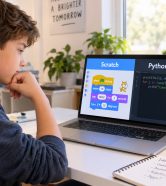
This is where tools such as Scratch can become especially useful.
Instead of writing:
move(10)
the child sees a visual block that says:
Move 10 steps
and places it into the project.
Over time, they learn important programming concepts.
Sequence
Executing instructions in a specific order.
Events
For example:
Start the game when the green flag is clicked.
Loops
Repeat an action several times without rewriting the same command.
Conditions
If the player touches an obstacle, lose one point.
Variables
Store information such as score, time, lives, or speed.
These are real programming concepts presented in a format children can understand.
Why Are Ages 7–13 a Strong Stage for Learning Coding?
During these years, many children begin developing abilities that support coding education.
They become better able to:
- read and understand instructions,
- follow multi-step processes,
- think logically,
- stay focused on a project for longer,
- understand cause and effect,
- solve more complex problems,
- express their ideas,
- and modify projects with their own creativity.
This is also the core age range served by CIY Club.
However, even within the 7–13 age group, every child should not be taught the same content.
A 7-year-old should not necessarily follow the same learning path as a 13-year-old.
Your Child Is 7 or 8: What Should They Learn?
If your child is just starting, the first experience should usually not be:
Open Python and type this code.
That can make programming feel difficult before the child has even understood why coding can be exciting.
A better beginning is often based on a visible result.
For example:
Today, we are going to build a game where your character collects stars.
While building the game, the child learns programming concepts naturally.
Suitable Skills at This Stage
- logical thinking,
- sequencing,
- basic loops,
- simple conditions,
- events,
- character interaction,
- interactive stories,
- beginner games,
- introductory robotics.
Suitable Tools and Paths
- Scratch,
- beginner robotics,
- logic games,
- visual programming,
- simple STEM projects.
The Real Goal
At this age, the goal is not for the child to memorize dozens of commands.
The goal is for the child to begin thinking:
“I want this to happen, so I need to give the computer these instructions.”
Your Child Is 9 or 10: What Can They Learn?
At this stage, projects can gradually become more complex.
Instead of creating a game with one character, the child may begin adding:
- multiple characters,
- different levels,
- scoring,
- player lives,
- timers,
- obstacles,
- winning conditions,
- losing conditions,
- sound effects,
- messages,
- menus.
This is where a child can begin moving from:
“I know how to use this tool.”
to:
“I know how to design a complete system.”
Suitable Learning Paths
- advanced Scratch,
- game development,
- robotics,
- electronics,
- 3D design,
- more complex logical projects.
If the child is already advanced and ready, this can also be a good stage to begin introducing text-based programming concepts gradually.
Your Child Is 11–13: Is It Time for Python?
For some children, yes.
But not simply because they have reached age 11.
Before moving into Python, it helps if the child already understands concepts such as:
- variables,
- conditions,
- loops,
- basic functions,
- events,
- problem decomposition,
- debugging.
When these concepts are already familiar, text-based coding becomes much easier.
The child no longer has to understand both:
What is a loop?
and:
How do I write a loop in Python?
at exactly the same time.
They already understand the concept and only need to learn how to express it in a new programming language.
At This Stage, Kids May Explore
- Python,
- game development,
- artificial intelligence,
- web development,
- app development,
- robotics,
- electronics,
- 3D design,
- 3D printing.
This is also when the child’s interests become even more important.
Not every child needs to follow the same Python-first route.
Should Every Child Learn Scratch and Then Python?
No.
Scratch is an excellent tool for teaching programming concepts, but every child does not need to follow the same path:
Scratch → Python → Programmer
One child may follow:
Scratch → Game Development
Another may prefer:
Scratch → Robotics → Electronics
Another child may enjoy:
Logical Thinking → 3D Design → 3D Printing
A child interested in websites may follow:
Coding → Web Development
A child interested in mobile applications may move toward:
Coding → App Development
And a child fascinated by modern technology may explore:
Programming → Artificial Intelligence
The goal is not to make every child learn the same thing.
The goal is to discover the path that makes the child want to keep learning.
How Do I Know If My Child Is Ready to Learn Coding?
Age is only one factor.
Look for these signs.
1. They Want to Know How Things Work
They may ask:
How does this game work?
How does the robot know there is an obstacle?
How does the character move?
How does this app work?
That curiosity can be an excellent starting point.
2. They Can Follow a Sequence of Instructions
If your child can complete several simple steps in order, they may already be developing the thinking needed to understand sequencing in programming.
3. They Enjoy Solving Puzzles
Children who enjoy puzzles often enjoy programming challenges because both involve understanding a problem and finding a solution.
4. They Are Willing to Try Again
When something does not work, does your child try another solution?
That is an important skill in programming, where experimentation and debugging are normal parts of learning.
5. They Enjoy Creating Things
These do not have to be digital creations.
Your child may enjoy:
- LEGO,
- drawing,
- storytelling,
- building blocks,
- assembling toys,
- design.
All of these can indicate a creative mindset that can be applied to coding.
6. They Want to Create a Game Instead of Only Playing One
If your child ever asks:
“How can I make a game like this?”
pay attention.
That question can be one of the best entry points into programming.
Quick Parent Checklist: Is My Child Ready?
Answer yes or no to these questions:
- Can your child focus on an activity they enjoy for 20–30 minutes?
- Can they follow simple instructions?
- Do they enjoy solving puzzles or challenges?
- Do they try again when something does not work?
- Do they enjoy computers, games, technology, or building things?
- Do they ask how things work?
- Can they describe an idea they would like to create?
If you answered yes to most of these questions, your child may be ready to try coding at an appropriate level.
But this should not be treated as an admission test.
The best way to know is still:
Let your child try coding in a real learning environment.
Not Sure Whether Your Child Is Ready? You Do Not Have to Guess
You can read dozens of articles about the best age for learning coding, but there is one thing no article can tell you:
How your own child will respond to coding.
That is why practical experience can be more useful than relying on age alone.
If your child is between 7 and 13 years old and you live in Riyadh, they can attend a trial session at CIY Club.
During the session, your child can:
- explore their interests,
- experience a practical activity,
- interact with the learning environment,
- have their level observed,
- discover suitable technology paths,
- and identify an appropriate starting point.
Instead of asking, “Is my child old enough?”
Let your child try, then decide based on the experience.
Book Your Child’s Trial Session
Does Starting Early Mean a Child Will Become Better at Coding?
Not necessarily.
This is one of the most important things parents should understand.
A child who begins coding at age 6 but:
- does not enjoy it,
- copies everything without understanding,
- never builds projects,
- feels constant pressure,
may not progress as well as a child who starts at age 10 but is:
- curious,
- motivated,
- building projects,
- experimenting,
- solving problems,
- learning consistently.
That means:
The quality of the beginning matters more than how early the beginning happens.
Starting early is valuable only when the experience is appropriate and enjoyable.
Can a Child Start Too Early?
Yes, if the teaching method is not appropriate.
The problem is not introducing programming concepts early.
The problem is giving children material that is far beyond their current ability.
If your child:
- cannot understand the instructions,
- feels frustrated all the time,
- needs help with every step,
- cannot complete any part independently,
- or loses interest quickly,
the solution is not always:
Wait two more years.
Sometimes the correct solution is:
Use a simpler tool or learning method.
Does Learning Coding Mean More Screen Time?
This is a reasonable concern for many parents.
But it is important to distinguish between different types of technology use.
Passive Technology Use
- endless video watching,
- constant scrolling,
- playing without creating,
- passive consumption.
Active Technology Use
- building a project,
- solving a problem,
- designing a game,
- creating an interactive story,
- controlling a robot,
- designing a model,
- testing an idea,
- debugging an error.
The goal is not for children to spend their entire day in front of a computer.
The goal is to transform part of their technology time from:
Consumption
into:
Creation
Children should also continue balancing digital learning with physical activity, reading, social interaction, and other offline experiences.
How Long Should a Coding Session Be for Kids?
There is no single ideal session length for every child.
Younger children often benefit from more varied and interactive sessions, while older children may be able to focus for longer periods.
The most important question is not simply:
How many minutes has the lesson lasted?
Instead, ask:
- Is the child still engaged?
- Are they participating?
- Are they asking questions?
- Are they experimenting?
- Are they waiting for the session to end, or do they want to finish the project?
A shorter session with strong engagement can be more valuable than a longer session where the child has already lost focus.
Does My Child Need to Be Good at Math to Learn Coding?
No.
This is one of the most common misconceptions that can stop parents from introducing their children to coding.
Mathematics is certainly important in many advanced areas of computer science.
But a beginner does not need to be a math expert to understand concepts such as:
- sequences,
- loops,
- conditions,
- events,
- variables,
- problem-solving.
At the beginner level, curiosity and willingness to experiment are often more important.
Does My Child Need to Speak English Before Learning Coding?
Not necessarily.
Programming concepts can be explained in Arabic, especially during the early stages.
Over time, children naturally begin recognizing common English technology terms such as:
- If,
- Else,
- Loop,
- Variable,
- Function,
- Start,
- Stop.
Coding can even become a natural way for children to build technical English vocabulary.
English should not become a barrier that prevents a child from beginning.
How to Choose a Technology Path Based on Your Child’s Personality
Your child’s interests can sometimes tell you more than their age.
If Your Child Loves Games
Try:
Coding + Game Development
Instead of only asking:
How do I win this game?
they begin asking:
How do I build this game?
If Your Child Loves Building Things
Try:
Robotics + Electronics
They can watch programming instructions turn into real physical movement.
If Your Child Loves Drawing and Design
Try:
3D Design
Then they may eventually explore:
3D Printing
where a digital design becomes a physical object they can hold.
If Your Child Loves Mobile Apps
Try:
App Development
Ask:
If you could build your own app, what would it do?
If Your Child Is Interested in Websites
Try:
Web Development
If Your Child Is Curious About ChatGPT and Smart Technology
They may enjoy:
AI for Kids
But AI education should go beyond simply learning how to use AI tools.
Children should gradually understand:
- how AI works,
- why AI can make mistakes,
- how data is used,
- how to verify information,
- how to use AI responsibly,
- and how AI can help create projects without replacing independent thinking.
How Do I Choose the Right Coding Course for My Child’s Age?
Do not choose a course based only on its name.
Ask these questions first.
Is the Child Assessed Before Starting?
This is very important.
Not every 9-year-old has the same level of experience or ability.
Is the Course Truly Designed for Children?
A children’s program should not simply be an adult programming course with fewer lessons.
The learning method itself should be designed around children.
Does the Child Build or Just Watch?
Ask the center:
What will my child actually create?
The answer should be clear.
Are There Real Projects?
A child should be able to see a result from what they learn.
Ideally, they should leave the session able to say:
“I made this.”
Is There a Clear Progression?
Coding is a learning journey, not a single class.
The child should have a path for progressing toward more advanced skills.
Can My Child Try Before I Enroll?
A trial session allows you to evaluate:
- the child’s reaction,
- the instructor,
- the learning approach,
- the content,
- the environment.
before committing to a longer program.
8 Mistakes Parents Make When Choosing When to Start Coding
1. Waiting for the “Perfect Age”
You may spend years waiting for an age that does not really exist.
Start when you find the right learning experience for your child.
2. Choosing the Hardest Language Because You Want the Best
Harder does not mean better.
If Scratch makes your child love programming, it may be far more valuable than introducing Python too early and making coding frustrating.
3. Comparing Your Child With Other Children
“My friend’s child is 9 and already learning Python.”
That does not mean your child needs to follow the same path.
4. Measuring Success by Speed
The fastest learner is not always the one who understands the deepest.
5. Choosing a Course Only Because of the Certificate
A certificate can be useful.
But first ask:
What can my child actually create after completing the course?
6. Turning Coding Into Another School Subject
If coding becomes another subject children need to memorize, they may lose interest quickly.
7. Solving Every Problem for the Child
Problems are not something children should always be protected from.
Problems are part of the learning process.
8. Choosing the Path the Parent Likes Instead of the Child
You may want your child to learn Python.
Your child may want to build a robot.
Start with what excites them, then build technical skills around that interest.
How Can You Start With Your Child This Week?
You do not need to buy a new computer or make a major decision.
Try this simple approach.
Day 1
Ask:
If you could create anything using a computer, what would you build?
Do not suggest an answer.
Let your child think.
Day 2
Look together at a simple example of:
- a game,
- a robot,
- an app,
- or a 3D design.
Then ask:
Which one would you most like to create?
Day 3
Let your child try a small coding activity.
After the Activity
Do not ask only:
Did you understand coding?
Ask:
Did you enjoy it?
What would you change in the project?
What would you like to build next?
If your child begins suggesting new ideas without being asked, you may have found the right entry point.
What Can Children Aged 7–13 Learn at CIY Club?
At CIY Club, children are not treated as if everyone at the same age has the same level.
Kids can explore technology learning paths including:
- Coding for Kids
- Robotics
- Artificial Intelligence
- Game Development
- 3D Design
- 3D Printing
- Electronics
- App Development
- Web Development
The appropriate starting point can be selected based on:
- age,
- current level,
- interests,
- previous experience,
- learning style.
CIY Club provides in-person technology education in Riyadh through its branches in:
Qurtubah
and
Al Yasmin
Instead of Guessing the Right Path, Let Your Child Try
Your child may be the “right age” but begin with the wrong learning path.
Or they may be younger than you expected and already ready for a more advanced project.
That is why age should not be the only factor in your decision.
If your child is between 7 and 13 years old, they can attend a trial session at CIY Club to experience the learning environment, try a practical activity, and identify a suitable starting point.
What Can You Learn From the Trial Session?
- You can observe your child’s real reaction.
- Your child can explore technology directly.
- Their starting level can be evaluated.
- You can identify suitable learning paths.
- You can make a decision based on experience rather than an advertisement.
The first step does not have to be a major commitment.
Start with the experience.
Book Your Child’s Trial Session at CIY Club
Frequently Asked Questions About the Best Age for Kids to Learn Coding
What is the best age for kids to learn coding?
There is no single perfect age for every child. Children can be introduced to programming concepts at a young age using age-appropriate activities, while more advanced projects and languages can be introduced as their skills and experience develop.
Can a 5-year-old learn coding?
Yes, a 5-year-old can begin learning concepts such as sequencing, patterns, logic, and simple instructions through visual activities, games, and age-appropriate tools rather than traditional text-based programming.
Is age 7 a good time to start coding?
Yes. Age 7 can be a good time to begin visual programming, simple interactive games, logical problem-solving, and beginner robotics if the learning activities are designed appropriately.
Is Scratch suitable for an 8-year-old?
Yes. Scratch is widely used to introduce children to programming through visual blocks. It can help children learn conditions, loops, events, variables, and project-building without requiring them to type complex syntax.
At what age should kids start Python?
Children can begin Python when they understand basic programming concepts and are ready for text-based coding. Some children may be ready around ages 10–11, while others benefit from more time with visual programming first.
Should my child start with Scratch?
Not every child must start with Scratch, but it is a very effective starting point for many beginners because it allows children to focus on programming logic before dealing with text-based syntax.
Can children learn coding without a computer?
Yes. Concepts such as algorithms, sequencing, patterns, logic, and problem-solving can be taught through unplugged activities that do not require a computer.
Does my child need to be good at math to learn coding?
No. Advanced programming fields may require stronger mathematics, but children do not need to be excellent at math to begin learning programming fundamentals.
How do I choose the right technology path for my child?
Start with your child’s interests. Children who love games may enjoy game development, those who enjoy building things may prefer robotics, and creative children may enjoy 3D design. A practical assessment or trial session can also help identify the right direction.
Are in-person coding classes better for kids?
It depends on the child. Some children learn effectively online, while others benefit more from direct interaction, hands-on equipment, robotics, and in-person instructor support.
Is it ever too late for a child to start coding?
No. Children do not need to begin coding at a specific age to succeed. Motivation, consistent practice, good teaching, and an appropriate learning path matter more than starting very early.
Conclusion: The Best Age Is the Age That Matches the Right Experience
If you want one answer to the question:
What is the best age for kids to learn coding?
the answer is:
The best age is when your child receives a learning experience that matches their age, ability, interests, and current level.
A younger child may begin with logic, games, and interactive stories.
Then they can move into visual programming.
Then projects.
Then text-based coding and specialized technology paths.
Do not make your goal:
“I want my child to become the youngest programmer.”
A better goal is to help your child become someone who:
thinks, asks questions, experiments, makes mistakes, looks for solutions, and turns ideas into real projects.
That is the real value of learning coding.
Is your child between 7 and 13 years old?
Instead of deciding whether they are ready based only on age, let them experience coding for themselves.
Book a trial session at CIY Club in Riyadh and discover the technology path that best matches your child’s age, interests, and current level.
